
This guide covers buying and reading eBooks, publishing your own book, and receiving your earnings on Sọna in Kenya.
Buying and reading · Publishing · Payouts
For Readers in Kenya
Many online bookshops expect a bank card that works for international payments. If you live in Kenya and prefer to pay from your mobile wallet, that can make an eBook harder to buy than it should be.
On Sọna, readers with an account in Kenya can pay for eBooks with mobile money.
What You Need
- A free Sọna account, with Kenya as your account country.
- A mobile money wallet.
- A phone or tablet for the Sọna Reader app, which is on iOS and Android.
How to Buy a Book
- Create your account. Sign up at readsona.com and choose Kenya as your country.
- Find a book. Browse the catalogue at readsona.com/browse, or open a genre page such as romance or thriller.
- Add it to your cart.
- Go to checkout. Sọna shows the payment options for Kenya.
- Choose Mobile Money. You see the full total, including the payment fee, before you pay.
- Complete the payment. The book goes into your library.
You buy on the website and read in the Sọna Reader app.
Your Other Payment Options
At checkout you can also choose:
- International Card. A card from any country.
- USDT / USDC. Payment from a crypto wallet.
- Bank Transfer (Naira). For readers who have a Nigerian bank account.
The payment fee differs from one option to another. Compare the totals before you choose.
Why Prices Are in Naira
Sọna was built in Nigeria, and authors set one price in naira. You see the total for your payment option at checkout before you confirm anything.
What You Will Find
The catalogue is strongest in romance, with contemporary fiction, thrillers, faith-based fiction and young adult stories beside it. Many of the books are set in Lagos, Abuja and other Nigerian cities, and the store is open to authors and readers from other countries too.
Start with a free book so that you can test the app before you spend anything. The Offline Girls by Lara T. Kareem is a near-future thriller about a girl who goes missing when her safety implant fails.
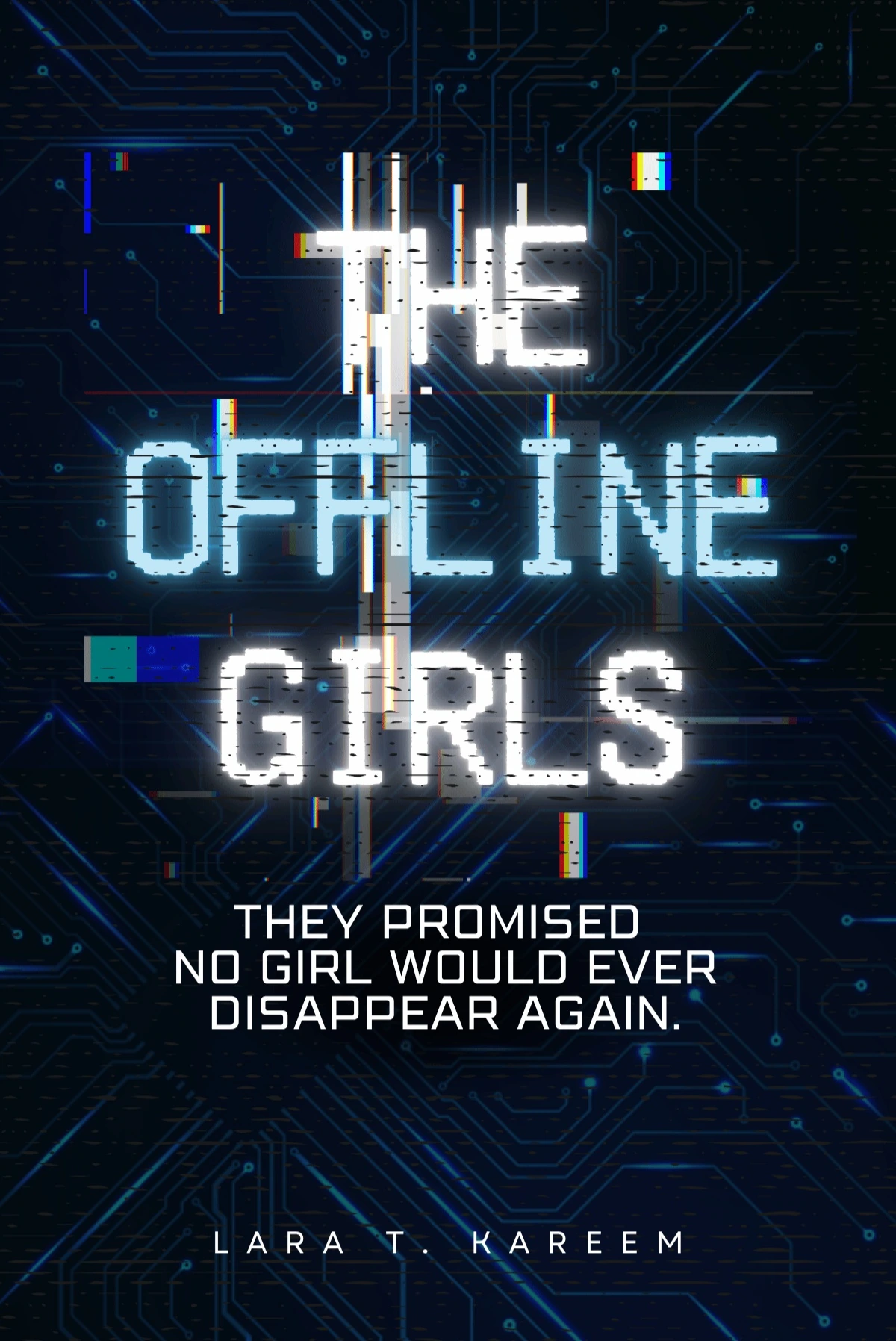
The Offline Girls
by Lara T. Kareem
In 2059, the Girl-Child Safety Implant is supposed to make one thing impossible— a girl…
Read more
disappearing without a trace. Then seventeen-year-old Kulu goes to the market and never comes home. Her implant never sends a distress alert. When Rakiya checks the system, Kulu’s status eventually changes to two words she has seen before: Offline (Error). Rakiya’s university research has already uncovered strange failures in the safety network serving rural communities. Kulu’s disappearance turns those anomalies into something personal. Other girls have vanished the same way, all from underfunded regions still running outdated firmware. As Rakiya follows the data and speaks to the families left behind, a pattern begins to emerge. These girls are not simply falling through the cracks. Someone knows exactly how to make them disappear.
Show lessFor more, see 6 Free eBooks by Nigerian Authors on Sọna.
If Mobile Money Does Not Appear
Check the country on your account. Your account country decides which payment options you see. Change it in your account settings, and then go back to checkout.
For Authors and Publishers in Kenya
Author and publisher accounts on Sọna are open to residents of Kenya. You can upload your book, sell it to readers in Kenya and in other countries, and receive your earnings by mobile money or bank.
What You Earn
You set one price for your book in naira. You earn 80% of that price on every sale. Sọna keeps 20% as its platform fee.
Readers pay a payment fee on top of your price at checkout. That fee does not come out of your 80%.
How You Are Paid in Kenya
Mobile money. Sọna supports M-Pesa and Airtel Money.
Bank account. You can add a bank account in Kenya instead.
Payouts to either method start from ₦7,500. This minimum applies on every payout schedule. Conversion and transfer charges come out of the amount sent, and each payout record shows the rate and every charge.
Payout Schedule
Monthly payouts are the default. They are processed on the first business day of each month.
In Payout Settings you can switch to weekly payouts on Mondays, or request your available balance once every 7 days. You can also save up until your balance reaches a target you choose. Any amount not yet paid carries forward and stays yours.
Step by Step
- Create your account. Go to readsona.com/publish and choose Kenya as your country.
- Add your payout details. In Payout Settings, choose Mobile Money or Bank. For mobile money, select your provider, then enter your number and the registered name.
- Wait for verification. Sọna reviews your details and emails you the result. You can prepare your book while you wait, but you can only submit it after verification.
- Upload your book. Use an EPUB or DOCX file for a text book, or a PDF for a picture book, comic or magazine. Add your cover, blurb, genres and age rating.
- Set your price in naira and submit the book for review.
- Share your book link when the book goes live.
Use the Name on Your Wallet
Enter the registered name exactly as it appears on your mobile money wallet. It must match the name on your Sọna account.