
Before Sọna can transfer your earnings to your payout account, you need to complete three steps: add your payout details, pass verification, and choose a payout schedule. This guide walks through each step in full.
Setting up Sona payout details is the first of three steps before your earnings can actually reach you.
Where to Find Payout Settings
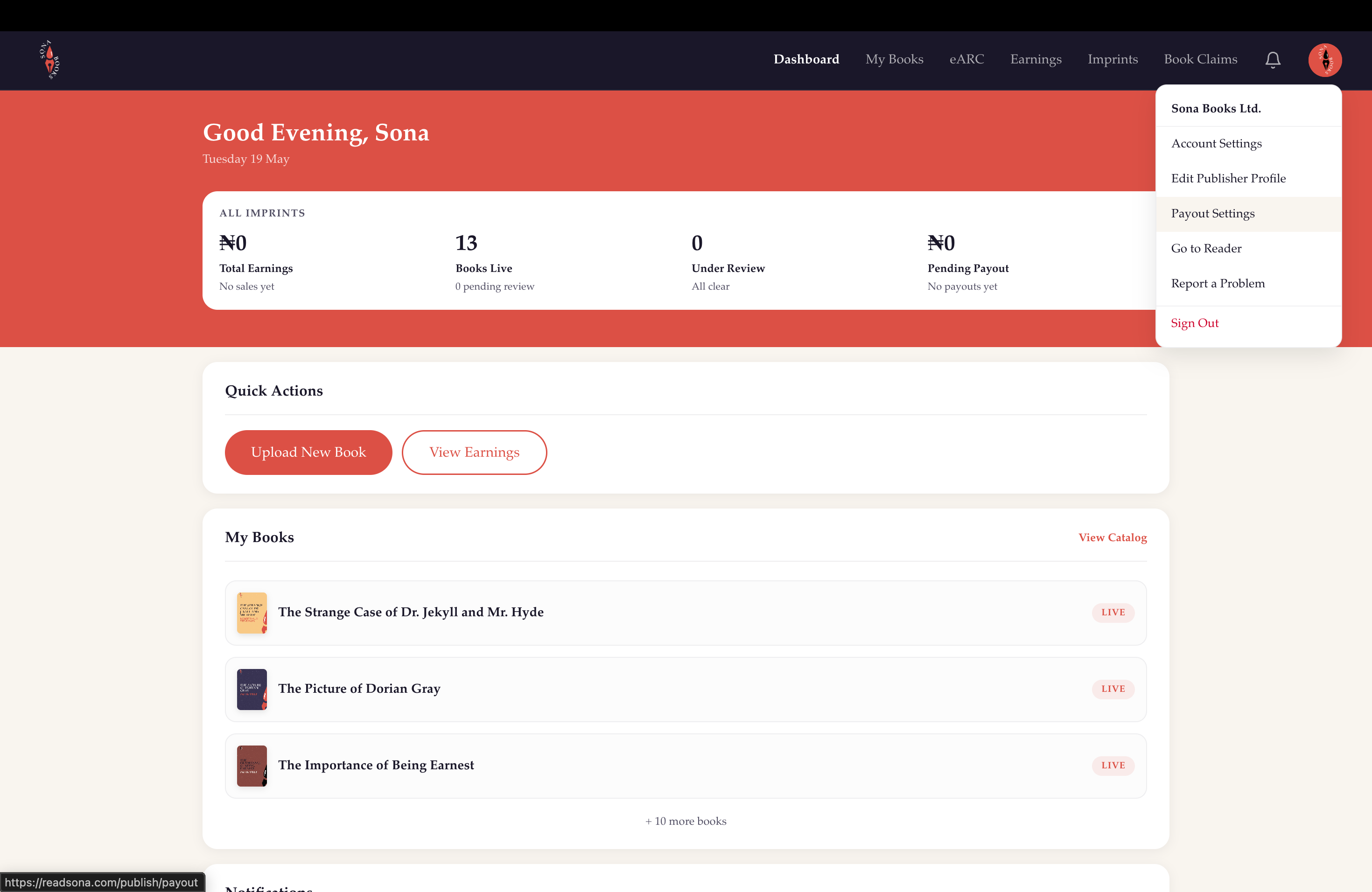
Go to the Publish Dashboard and click Payout Settings from your account navigation drop-down menu. This is where you add and manage your payout details, check your verification status, and set your payout schedule.
Kindly note, you can't submit a book until you have completed your KYC and payment setup.
Step 1: Add Your Payout Details
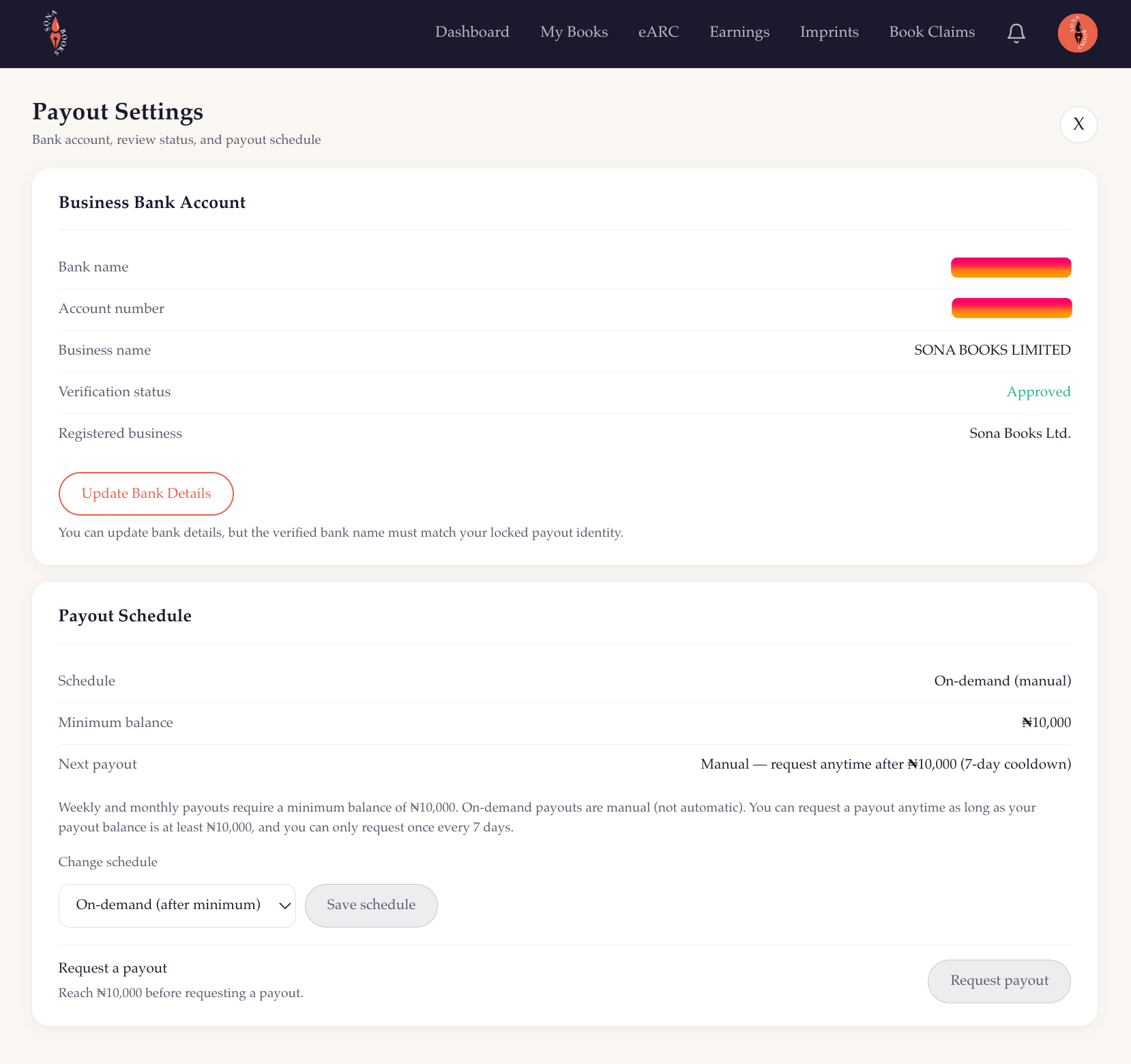
These are the details Sọna will use to send your earnings. You add them once, and they stay on file until you update them.
For Nigerian Accounts
- Select your bank from the dropdown (multiple banks supported, including Access Bank, GTBank, First Bank, Zenith, UBA, Kuda, and more)
- Enter your 10-digit account number
- Enter your account holder name exactly as it appears on the account
Your details are verified against your bank's records. The name on your Sọna account must match the name registered with your bank. A mismatch is the most common reason KYC fails, so check carefully before submitting.
For Mobile Money in Ghana, Kenya and Ethiopia
Individual authors in Ghana, Kenya and Ethiopia can choose Mobile Money instead of a bank account. Enter your provider, mobile money number, and the registered name exactly as it appears on the wallet.
- Ghana: MTN MoMo, Telecel Cash, and AirtelTigo Money
- Kenya: M-Pesa and Airtel Money; Ethiopia: Telebirr and M-Pesa Ethiopia
The minimum is ₦10,000 for Ghana and Kenya and ₦30,000 for Ethiopia.
For International Bank Accounts
Sọna supports bank payouts to eligible authors in Ghana, South Africa, Kenya, Ethiopia, the United Kingdom, the United States, and Canada. Fill the fields shown for your country and payout method, such as bank name, account number, account type, branch code, sort code, routing number, IBAN, or SWIFT/BIC where applicable.
If you are unsure of any of these details, your bank's app or internet banking portal will usually have them. You can also call your bank directly.
Cross-border processing fees and currency conversion are deducted from payouts outside Nigeria.
Double-check everything before submitting. Incorrect bank information can cause payouts to fail or, in rare cases, be sent to the wrong account.
Step 2: KYC Verification
KYC (Know Your Customer) is a standard financial compliance step required before any platform can send money to a payout account. It confirms that your Sọna account identity matches the payout details you linked.
After you submit your payout details, Sọna reviews them. There is no document upload required for standard author accounts. For publisher accounts, you may be asked to provide the company registration number, CAC documentation and supporting documents.
You will receive an email once your verification is complete or if anything needs correcting.
KYC Statuses
You can check your current status at any time in Publish Dashboard > Account Settings.
- Pending: Your details are under review. This typically takes 1 to 3 business days
- Approved: Verified. Payouts are now enabled and will be sent on your chosen schedule
- Rejected: An issue was found. Check your email: it will explain what needs to be corrected
While your KYC is pending, you can still upload and fill in your books metadata on Sọna. However, you will not be able to submit them for publication on the storefront until your verification is complete.
Once complete, approved books can go live on Sọna and become available to readers. Payouts will only be processed after your payout details and KYC verification have been approved.
If Your KYC Is Rejected
The rejection email will give you the specific reason. The most common causes are:
- Name mismatch between your Sọna account and your bank account
- Incorrect account number
- Missing information for international accounts
Correct the issue and resubmit from the Publish Dashboard > Payout Settings page. The team will review your updated details.
Step 3: Choose Your Payout Schedule
Once your KYC is approved, you choose how often you receive your earnings. You can update this at any time.
Weekly
Your earnings are sent every Monday. This is the best option if you prefer steady, frequent cash flow, especially during launch periods when sales are coming in regularly.
Monthly
Your earnings are sent on the first business day of each month. This is a good option if you prefer one larger consolidated payment and simpler monthly accounting.
On-Demand
You manually request a payout whenever you want one, as long as your balance has reached the minimum threshold. There is a 7-day cooldown between requests: you can only submit one payout request per week. Use this option if your sales are infrequent or if you want full control over when transfers happen.
Changing Your Schedule
You can switch between weekly, monthly, and on-demand at any time from Publish Dashboard > Payout Settings. Changes take effect 7 days after you save them, so plan if you are expecting a payout soon.
Your Earnings Dashboard
Go to Publish Dashboard > Earnings to track your money.
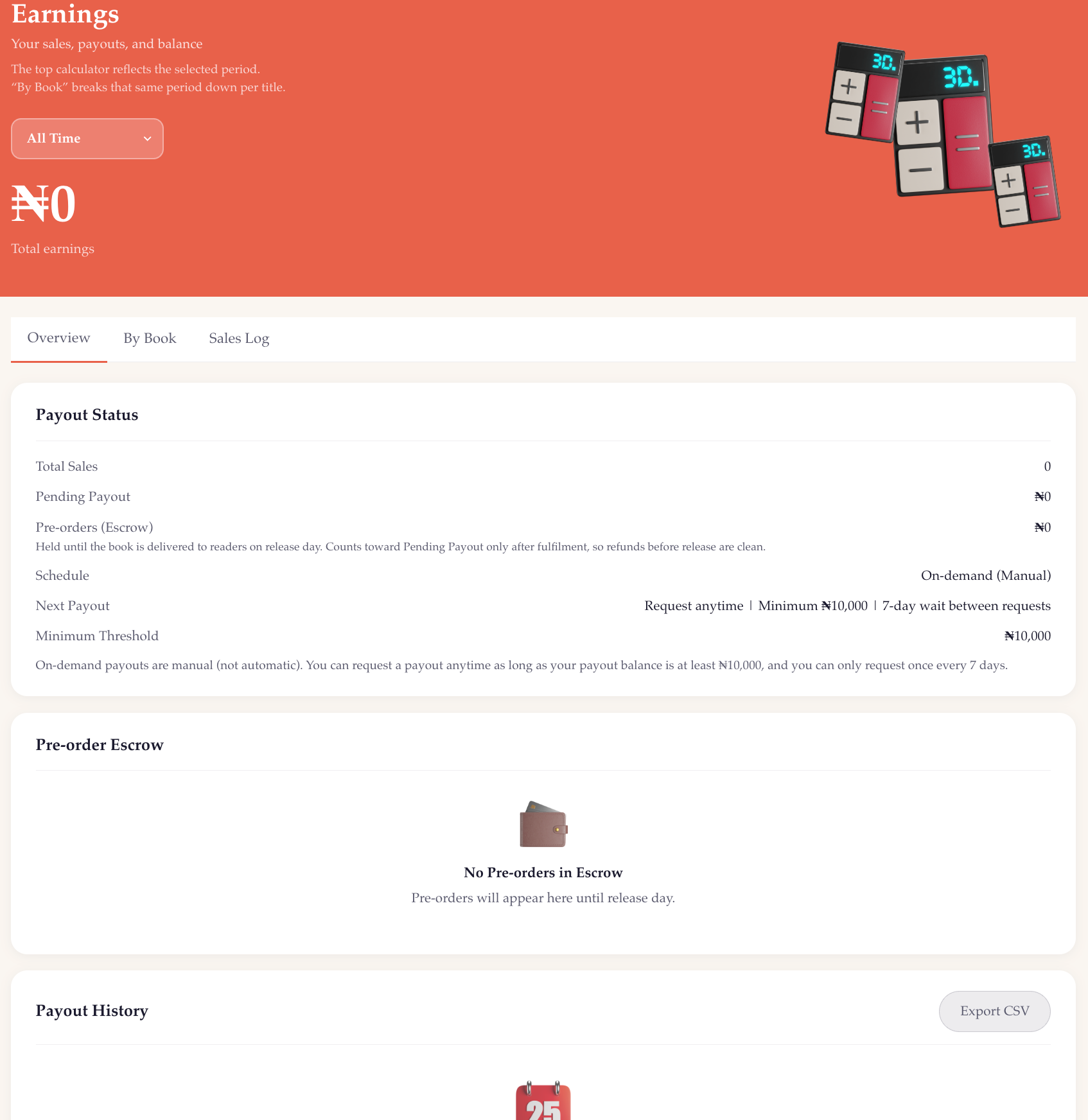
The Overview tab shows:
- Total Sales: the number of copies sold across all your books
- Pending Payout: how much is queued for your next transfer
- Pre-orders (Escrow): funds from pre-orders are held until each book's release date, at which point they move into your Pending Payout automatically
- Schedule: your current payout frequency
- Next Payout: the date of your next automatic transfer, or cooldown information if you are on on-demand
- Minimum Threshold: ₦10,000 or ₦30,000 depending on your payout route, with a confirmation tick once your balance reaches it
Below the status card, the same page shows your Pre-order Escrow in detail, individual titles and amounts, and your full Payout History: every past transfer with its date, amount, and status. You can export your payout history as a CSV from that section.
What Happens on Payout Day
- Sọna processes your pending balance
- The transfer is initiated to your verified payout account
- Funds typically arrive within 1 to 3 business days, depending on your bank
- The transaction appears in your Payout History on the Earnings page
If a payout fails (for example, due to an expired account or a detail that changed), you will be notified by email and prompted to update your information.
Updating Your Payout Details
You can update your payout details from Publish Dashboard > Payout Settings. Sọna may re-check your new details before payouts resume.
If you switch banks or mobile money wallets, make sure the new account is fully active before saving. Incomplete or incorrect details can delay or fail a payout.
Common Questions
Can I receive payouts if I am not based in Nigeria?
Yes. Individual authors in Ghana, Kenya and Ethiopia can choose supported mobile money. Eligible authors in Ghana, South Africa, Kenya, Ethiopia, the United Kingdom, the United States and Canada can add bank payout details. Cross-border processing fees and currency conversion are deducted from payouts outside Nigeria.
My balance shows earnings, but nothing is in my Pending Payout.
Sales go through a short confirmation window before moving into your Pending Payout balance. Preorder funds sit in escrow until your book's release date, at which point they transfer to Pending Payout automatically.
I submitted my bank details, but my KYC is still pending after a week.
Contact the team from Publish Dashboard > Report a Problem and mention that your KYC has been pending for more than 3 business days. The team will follow up.
I want to pause payouts temporarily.
Switch your schedule to On-Demand. As long as you do not submit a payout request, no transfers will be made. Your balance will continue to accumulate.
Set up your payout now: go to Publish Dashboard and click Payout Settings in the navigation menu.
Related Posts
- Earnings and Payouts on Sona: How Your Money Works: how the revenue split works, how to read your earnings dashboard, and how to export your reports
- Getting Started on Sona Part 1: Setting Up as an Author: the full account setup walkthrough from sign-up to first payout
Sona mobile money payouts are one of several options inside your Sona payout settings, alongside standard bank transfer.